Why Paze Is Suddenly Everywhere: The $10-Back Wallet Deal Explained
Paze is the bank-backed online wallet behind a limited-time spend-$10-get-$10 promotion; here is how to activate it, check eligibility, and use it without confusing the wallet with the offer.
TL;DR
Paze is a bank-offered online checkout wallet, while the headline benefit is a separate limited-time offer: spend $10 or more and get a $10 statement credit, up to 10 times per eligible card through September 10, 2026.
- Paze is a bank-offered online checkout wallet, while the headline benefit is a separate limited-time offer: spend $10 or more and get a $10 statement credit, up to 10 times per eligible card through September 10, 2026.
- Eligible cards are preloaded by participating banks after activation, so there is no separate Paze app and no need to type a full card number at checkout.
- The offer is not automatic at every merchant or for every item: the Paze option and offer details should appear for the selected card before you pay.
What changed
Paze has become one of the hottest card offers of summer 2026 because its official promotion is unusually simple: make a qualifying online purchase of $10 or more with Paze and receive a $10 statement credit. The offer can be used up to 10 times per eligible card from June 15 through September 10, 2026, for up to $100 back per card.
The promotion is the benefit; Paze itself is the checkout wallet. That distinction matters because a card can appear in Paze without every transaction qualifying for the $10 credit. Paze says the offer details must appear for the selected card during checkout.
What Paze actually is
Paze is an online wallet operated by Early Warning Services, the company behind Zelle. It began as a bank-backed wallet pilot in 2023 and reached broader availability in 2024. Paze's developer site now says participating banks and credit unions have preloaded more than 150 million eligible credit and debit cards.
Unlike a typical third-party wallet, Paze does not require a separate app, username, or password. After activation, eligible cards from participating financial institutions appear in one wallet. When you pay, tokenization replaces your actual card number with a token, so the merchant does not receive the full card number.
Current participating institutions include Bank of America, Capital One, Chase, Citi, PNC, Truist, U.S. Bank, Wells Fargo, and other banks and credit unions. Exact card eligibility varies by issuer; business cards, authorized-user cards, or other product types may be excluded.
How to use Paze
Paze is easiest to understand as a short activation-and-checkout flow:
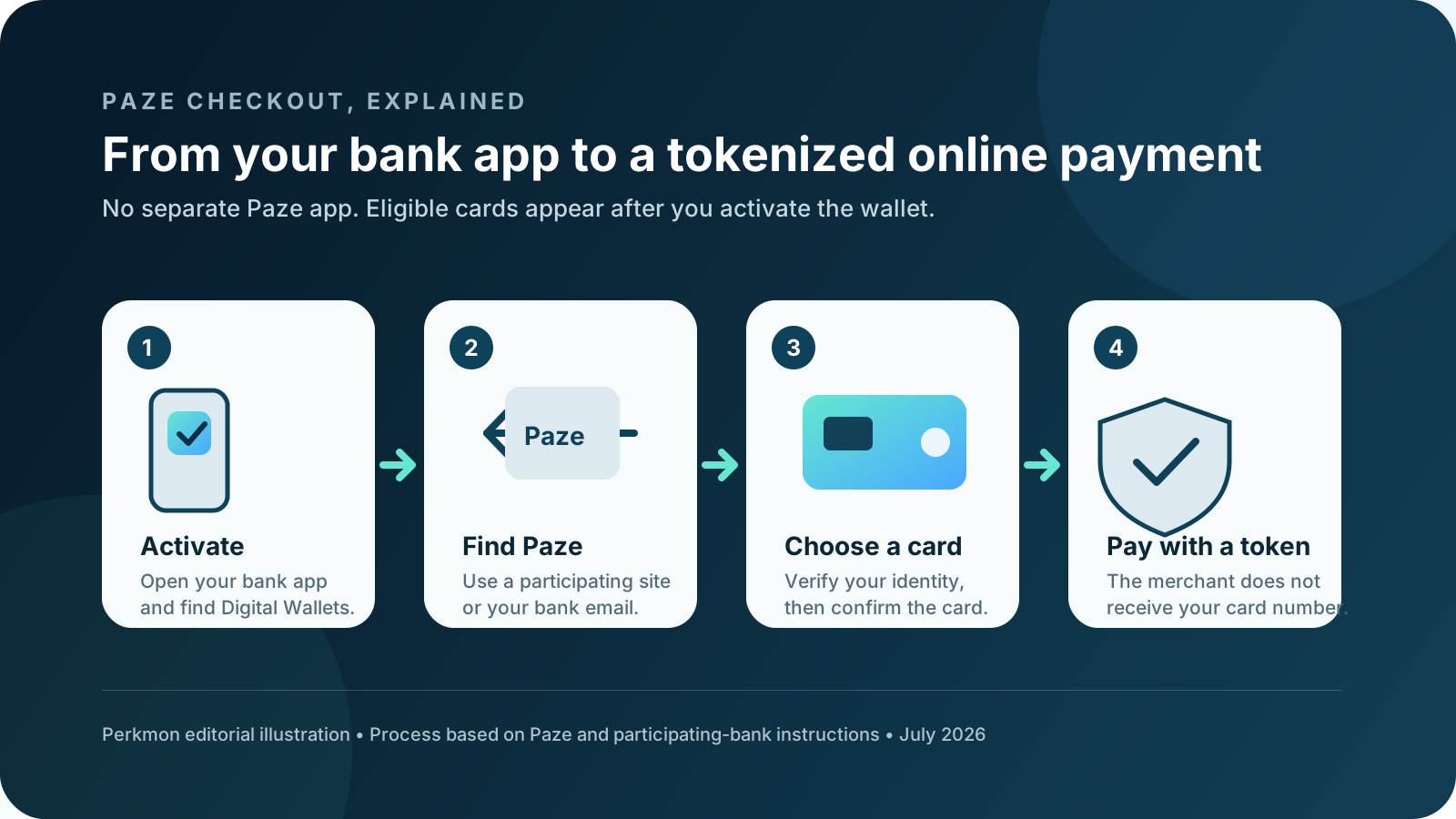
- Open your bank or credit union app or website, find the digital-wallet section, and activate Paze. You can also start at mywallet.paze.com.
- Confirm that the card you want is visible. If it is missing, ask the issuing bank about eligibility rather than adding it manually.
- Shop with a participating online merchant and look for the Paze button. Some merchants can also find the wallet from the email address or mobile number connected to your bank.
- Select the card, complete any one-time-code, passkey, or first-use verification, and review the order.
- For the summer offer, confirm that the spend-$10-get-$10 language appears for that card before paying. Save the checkout screen and track the posted credit.
Key details to check
The headline value is simple, but these terms determine whether a purchase actually earns it:
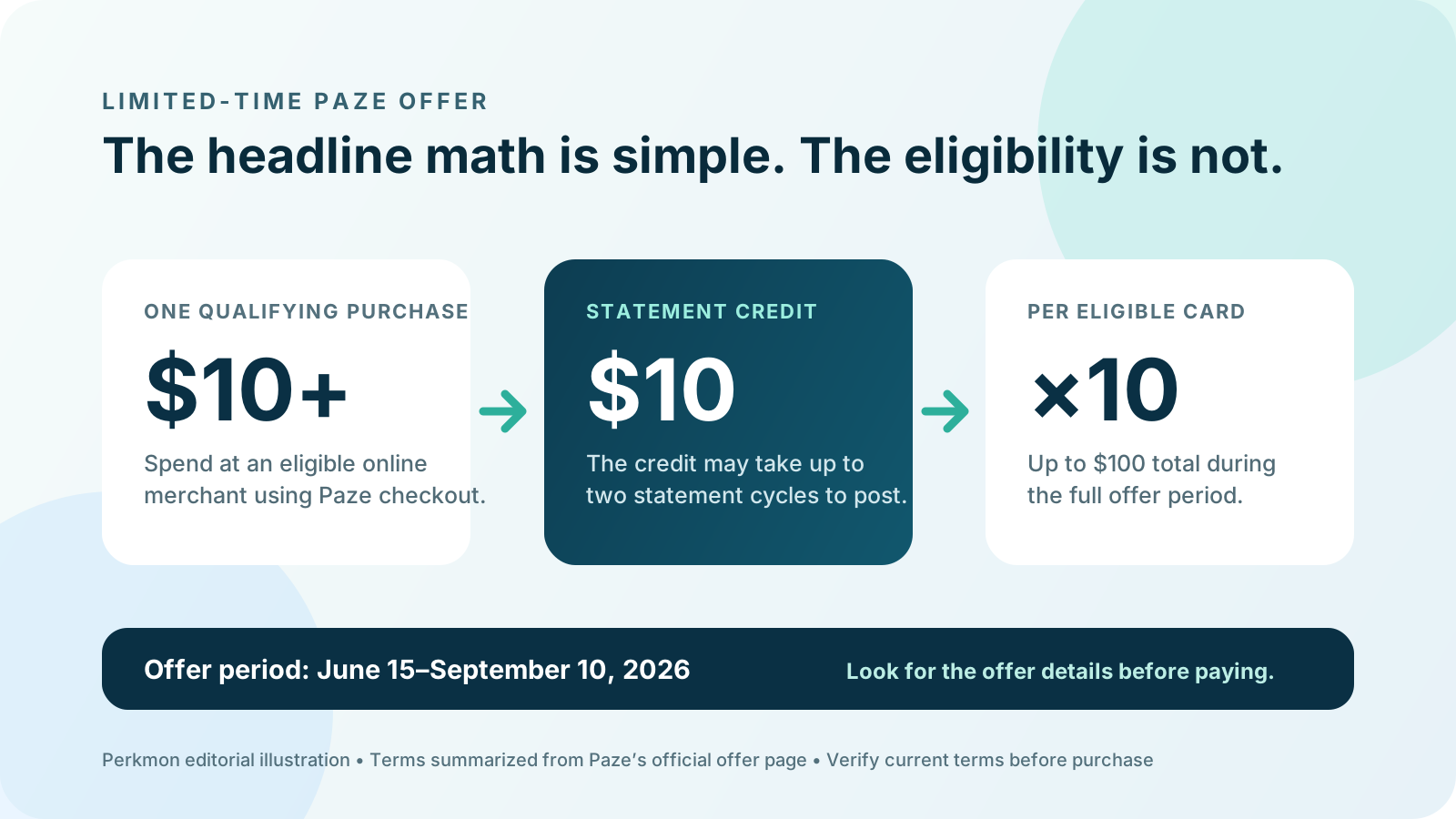
- Offer period: June 15 through September 10, 2026.
- Value: $10 statement credit after one qualifying transaction of $10 or more; spending above $10 does not increase that credit.
- Cap: Up to 10 credits, or $100 total, per eligible card for the full offer period.
- Posting time: Paze says credits may take up to two statement cycles.
- Where it works: Participating online merchants only. Paze is not an in-store tap-to-pay wallet.
- Common friction: Merchant category, item type, sign-in state, app versus website, technical integration, or the card itself can affect whether Paze and the offer appear.
Who should care
This is most useful for people who already need something from an eligible merchant and have several eligible cards. A $10 purchase can be close to fully offset, but a $40 purchase still earns only one $10 credit. Do not buy unwanted items merely to manufacture value, and do not assume an old gift-card route still works.
Our earlier Paze checkout warning covers blocked orders, gift-card refunds, and merchant-specific failures. This explainer is the starting point; the warning is the troubleshooting companion.
What to do next
Use the promotion like a trackable card benefit, not a promise of automatic cash back:
- Activate Paze through a participating bank and inventory the eligible cards shown.
- Check the live Paze merchant directory before shopping.
- Use the offer for ordinary purchases and verify the green offer message at checkout.
- Record each use by card, date, merchant, amount, and credit status in Perkmon or another tracker.
- Read how to track credit card benefits before counting unposted credits as realized value.
Sources
Primary and supporting references used for this explainer:
Keep exploring
Frequently asked questions
Is Paze the same as Zelle?
No. Both are operated by Early Warning Services, but Zelle is for person-to-person money transfers and Paze is for paying participating online merchants.
Do I need to download a Paze app?
No. Activate Paze through a participating bank or credit union, mywallet.paze.com, or an eligible merchant checkout. Eligible cards are then shown in the wallet.
Does every Paze purchase earn $10 back?
No. The current offer requires an eligible card, merchant, and transaction, and Paze says the offer details must appear during checkout. The promotion ends September 10, 2026.
Before you act
- Issuer, merchant, wallet, and promotional terms can change.
- Verify the Paze offer message and current terms for the selected card before making a purchase.
- This article is for informational purposes only and is not financial advice.
Turn this into a repeatable workflow
Perkmon is built for the operational side of credit card perks: what is still available, what has already been used, and what needs attention before value disappears.