Add any benefit. Or start with one we prepared.
Turn a benefit you know—or a popular promotion like Paze—into something Perkmon can track across the right cards.

Quick Add
You provide the benefit details.
Ready-to-add
Perkmon has prepared the promotion.
Feature 01 · Quick Add
Make your own benefit trackable.
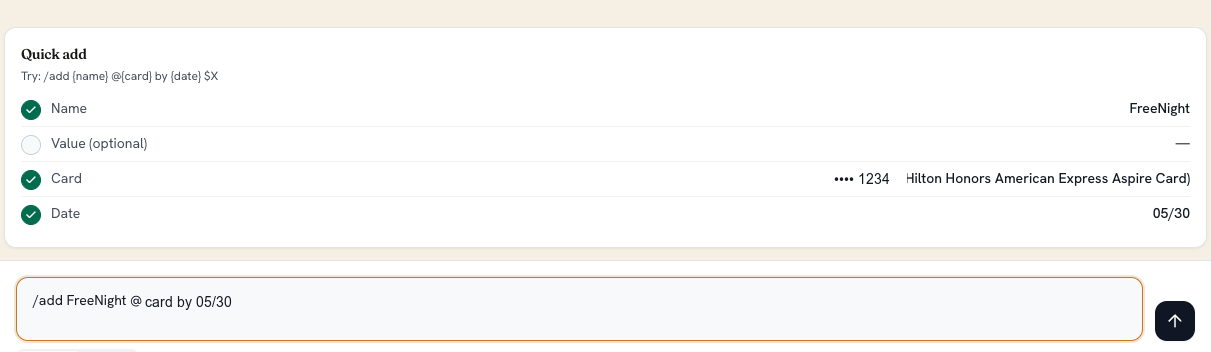
Type the important details in one line. Ask Perkmon pulls out the name, card, value, and date, then shows exactly what will be saved.
- Use a short command such as /add FreeNight @card by 05/30.
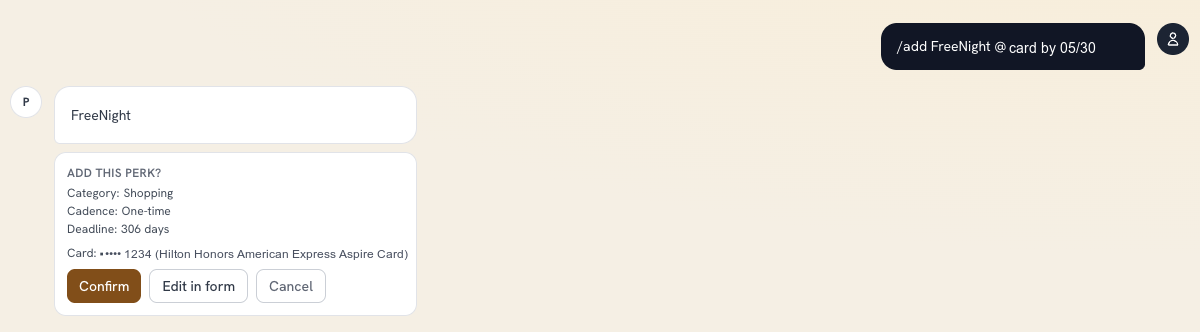
- Review the parsed fields before anything changes.
- Confirm, edit in the full form, or cancel.
Feature 02 · Ready-to-add promotions
A popular offer, already set up.
When a promotion matters to many cardholders, Perkmon can prepare its rules in advance. Open it, review the candidate cards, skip duplicates, and add it everywhere it belongs.
- Promotion value, limits, and expiration are already filled in.
- Choose from cards that may be eligible.
- Duplicate labels help prevent adding the same benefit twice.
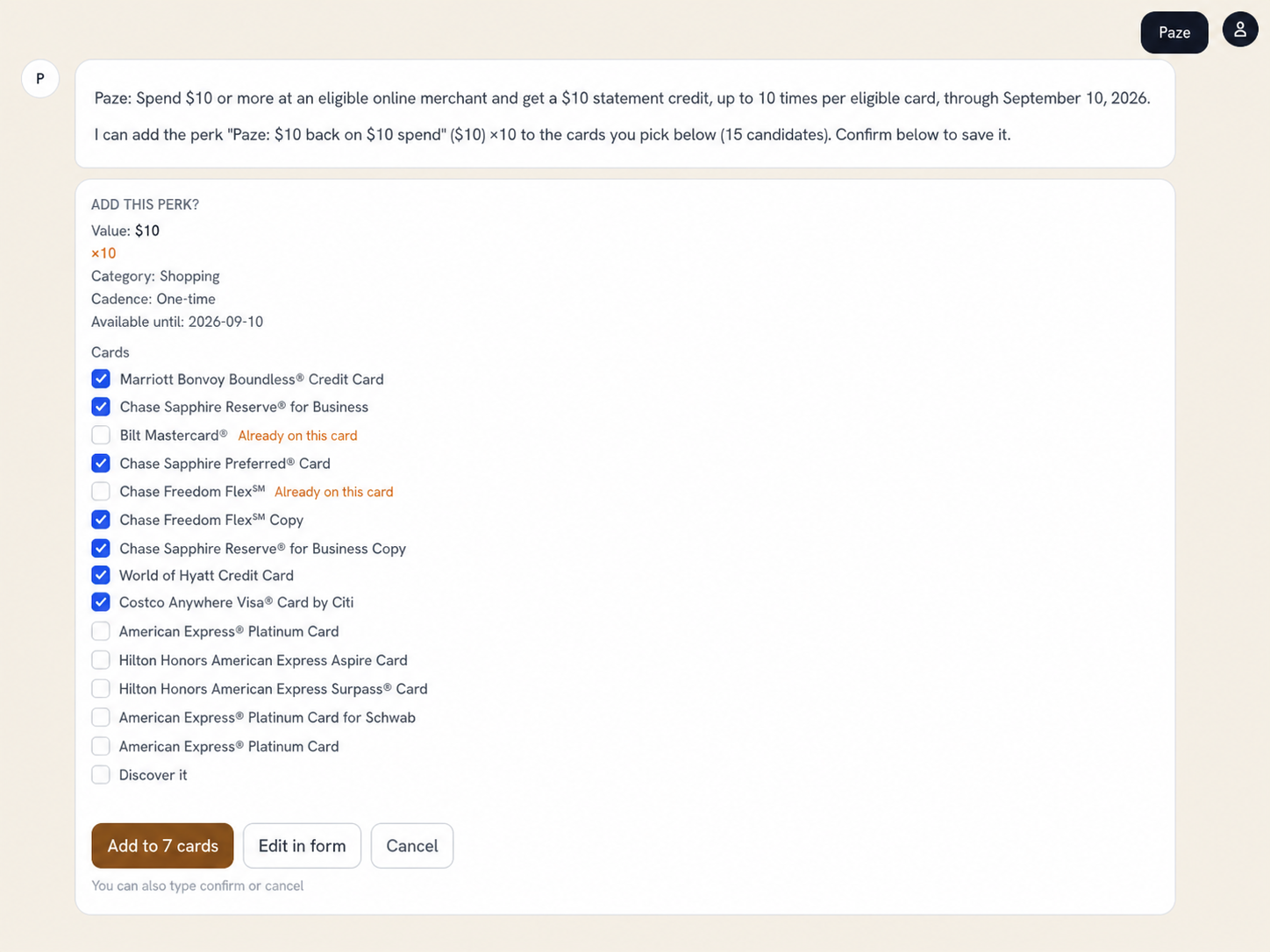
Add the Paze promo with Ask AI
Ready when you are
Your benefits should take seconds to add—not another spreadsheet.
Start with your own details, or let Perkmon do the setup for a supported promotion.
Perkmon adds and tracks a benefit in your account. It does not enroll a card with the bank, wallet, or merchant. Eligibility and enrollment requirements remain subject to the promotion terms.